
Geofencing and Arrival/Departure Automation: How It Actually Works

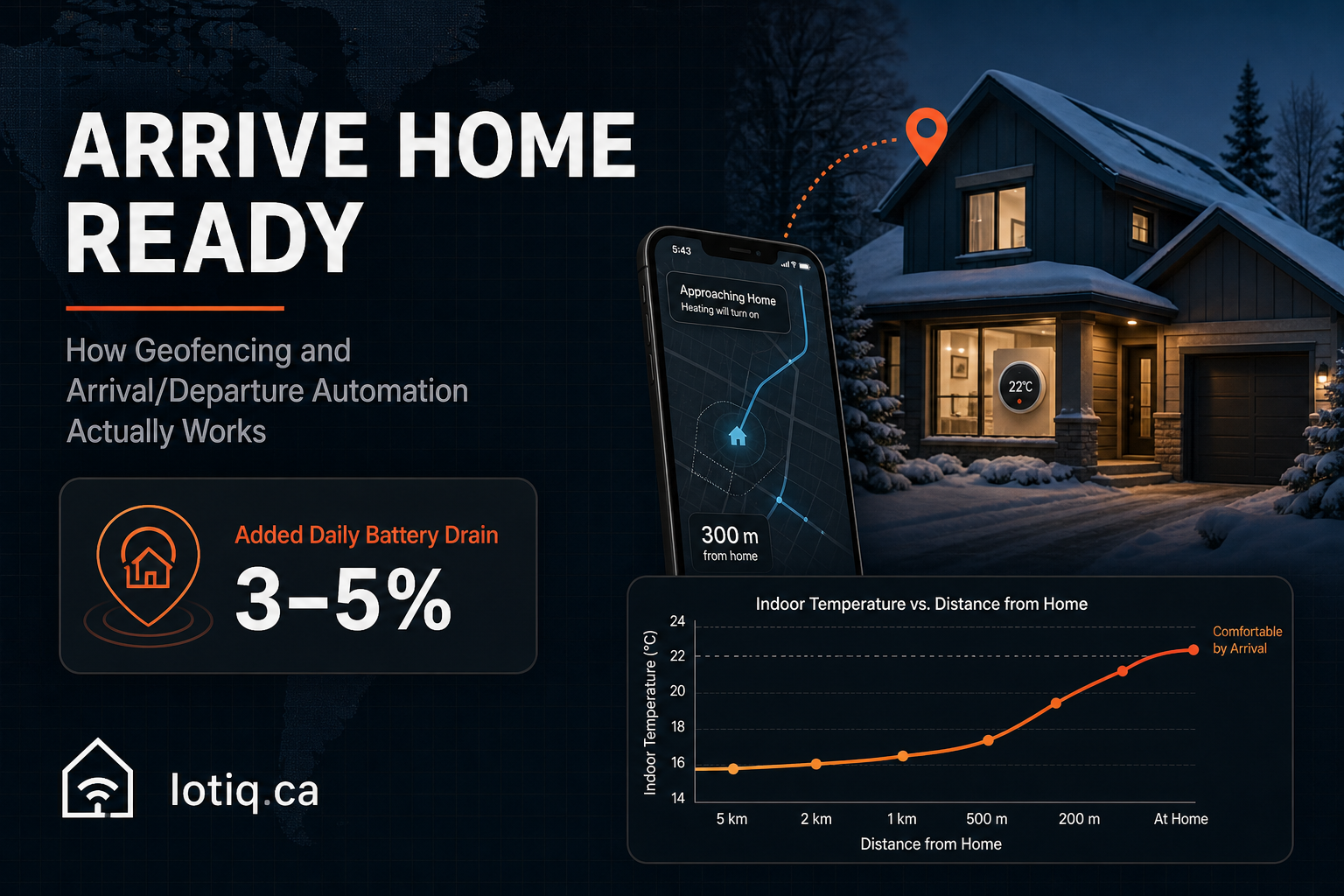
Geofencing sounds like a bigger commitment than it is: it’s just your phone’s location triggering a scene, the same underlying technology that already tells your phone when you’re near a Wi-Fi network you’ve saved. Applied to a smart home, it’s what lets the thermostat start rising before you’re in the driveway, and the front door lock and security system quietly handle themselves when the last person leaves for the day. Here’s what’s actually happening under the hood, and where it genuinely helps versus where it’s just a novelty.
How Geofencing Actually Works
Your phone already has a reasonably accurate sense of its own location using a mix of GPS, Wi-Fi network detection, and cellular tower positioning — geofencing sets an invisible boundary (typically 50–100 metres in a well-configured residential setup) around your home, and triggers an action when your phone crosses that boundary in either direction. It’s the same category of technology as “leaving work” traffic notifications, applied to your house instead of your commute.
The radius matters more than people assume. Too small, and a phone’s normal GPS drift means the trigger fires inconsistently right as you’re pulling into the driveway — too late to matter for pre-heating. Too large, and you get false triggers from simply driving past your own neighbourhood without actually coming home. A radius tuned to your specific commute pattern and heating response time is the difference between a system that feels magical and one you turn off in frustration.
The Two Directions: Arrival and Departure
| Arrival | Departure | |
|---|---|---|
| Typical trigger | First household member’s phone enters the geofence | Last household member’s phone exits the geofence |
| What it does | Thermostat rises, lights turn on, lock readies to open | Thermostat drops, lights off, doors lock, security arms |
| The genuinely useful part | Walking into a house that’s already comfortable, not one that’s catching up | Not having to remember whether you locked up — it happens regardless |
Multi-person households need this logic handled correctly: the system should respond to the first arrival, not fire the welcome scene every time a second person gets home, and should only trigger the full departure sequence once everyone’s phone has left — not lock the door on someone who’s still in the backyard.
A Canada-Specific Reason This Matters More Than Convenience
The most practically valuable version of this isn’t the welcome-home lighting — it’s what happens when nobody’s triggering anything at all, during an extended winter absence. A home left fully unattended in a cold snap risks frozen pipes if the heat isn’t maintained at some minimum level, and this is exactly the scenario departure automation is built to prevent: rather than the thermostat dropping to an arbitrary low setting and staying there indefinitely, a well-configured system maintains a minimum protective temperature during extended away periods, even if nobody remembers to set it manually before a trip.
What About Battery Life and Privacy?
Both are fair questions, and the honest answer is measured, not hand-waved. Modern low-power geofencing methods typically add somewhere in the 3–5% range to daily battery drain — noticeable if you’re already battery-conscious, but far from the location-tracking horror stories people sometimes imagine. On privacy: the location data driving this is processed to trigger a home automation, not logged as a persistent history you’d want to think twice about — but it’s fair to ask any specific product how that location data is used and stored, the same way you’d ask about any always-on sensor.
The Honest Limitation
Geofencing depends entirely on a phone that’s charged, has location services enabled, and is physically with the person arriving or leaving. A dead phone, or a household member who deliberately leaves their phone at home, means the automation simply doesn’t fire — which is why every well-designed setup includes a manual override (an app button or a smart switch) rather than making geofencing the only way to trigger arrival or departure scenes.
Vacation Mode: The Related Feature Worth Knowing About
A step beyond daily geofencing, calendar-linked vacation mode switches the home to away status for an extended period — often adding randomized light cycling to simulate normal occupancy patterns, a small but genuinely useful detail for a house that’s going to sit empty for a week rather than eight hours.
Getting Started
As a standalone addition to an existing smart home, arrival and departure automation typically runs $300–$600, with configuration built around your actual commute pattern and household structure rather than a generic default radius. See arrival & departure automation for current pricing.
Quick Answers
What happens to arrival/departure automation if my phone battery dies? The automation simply doesn’t fire, since there’s no phone location to detect. Every well-designed setup includes a manual override — an app button or smart switch — for exactly this situation.
Does geofencing drain my phone battery a lot? Not dramatically. Modern low-power geofencing methods typically add around 3–5% to daily battery drain.
