
Zigbee vs Wi-Fi Smart Home Devices: Which Should You Choose in 2026?

Before you buy your first smart plug, bulb, or sensor, one decision quietly shapes everything else you add to your setup later: which wireless protocol your devices talk over. Zigbee and Wi-Fi are the two most common choices for Canadian smart homes, and picking the wrong one for your situation tends to show up months later as a slow, unreliable, or oddly limited system rather than as an obvious mistake on day one.
How Zigbee and Wi-Fi Actually Differ
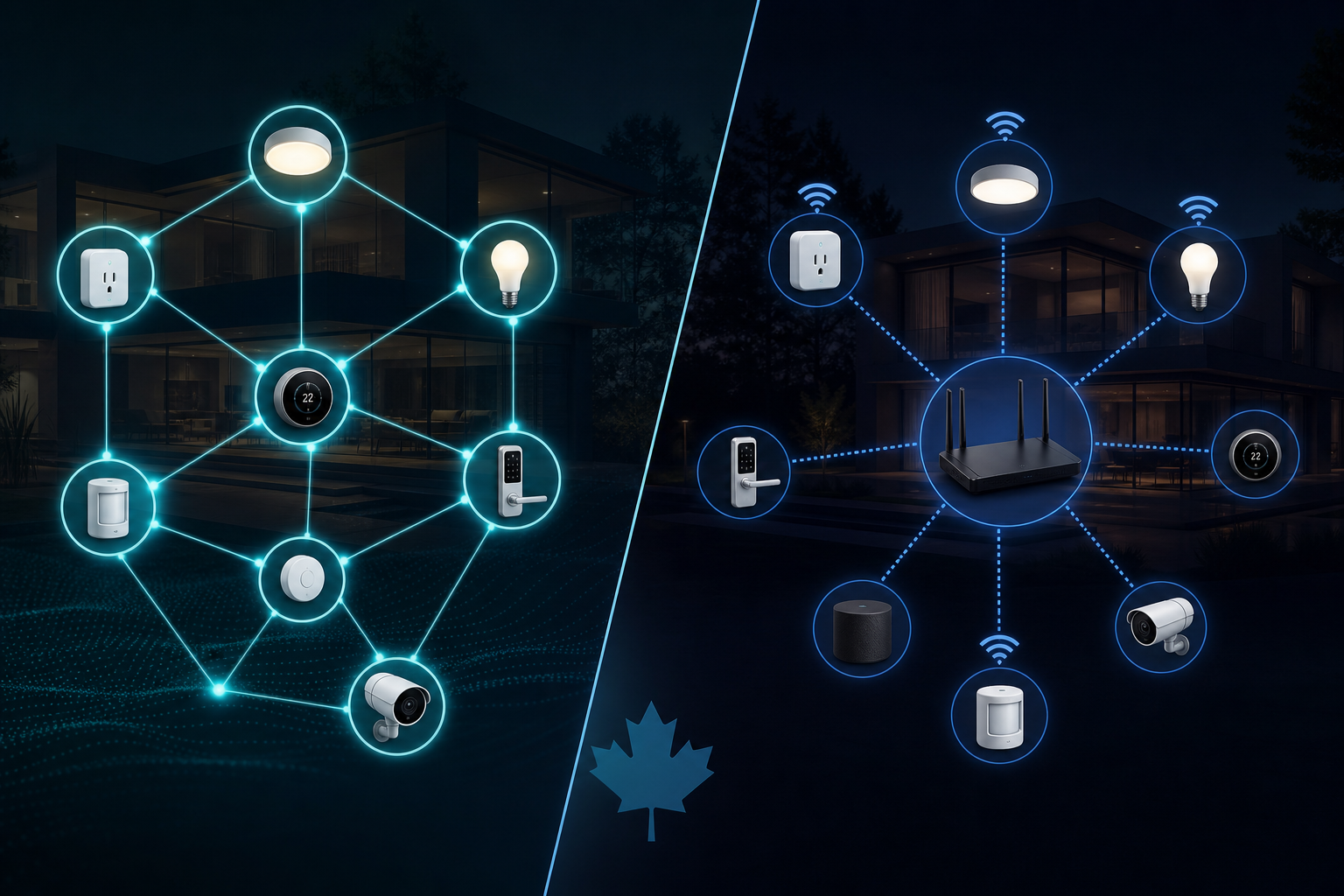
Wi-Fi smart devices connect directly to your home router, the same way your laptop or phone does — no extra hardware required, which is why Wi-Fi products are usually the easiest entry point for a first device or two. Zigbee devices instead communicate over a separate, low-power wireless protocol and require a hub or bridge to translate between Zigbee and your home network (and, from there, to the internet and your phone app).
The practical tradeoff: Wi-Fi is simpler to start with but puts more load on your router as you add devices, while Zigbee requires an upfront hub purchase but is specifically designed for exactly this use case — coordinating many low-power devices at once without straining your main network.
Side-by-Side Comparison
| Factor | Zigbee | Wi-Fi |
|---|---|---|
| Setup complexity | Requires a hub; slightly more setup for the first device | Connects directly to your router; simplest for one or two devices |
| Scaling to many devices | Excellent — designed as a mesh network that gets more reliable as you add devices | Can slow down or overload your router as device count grows |
| Network reliability | Mesh design — devices relay signal for each other, reducing dead zones | Depends entirely on your router’s Wi-Fi coverage throughout the home |
| Power consumption | Very low — ideal for battery-powered sensors that need to last months or years | Higher — generally used for mains-powered devices (plugs, bulbs), less ideal for battery sensors |
| Internet dependency | Local devices can often still communicate with each other if internet drops, depending on hub | Typically requires internet/cloud connection for app control, even for local automations |
| Best for | Larger installations, battery sensors, whole-home automation | A handful of devices, quick setup, no interest in a separate hub |
Why Mesh Networking Matters as Your System Grows
The most important practical difference shows up once you own more than a handful of devices. Zigbee is a mesh protocol — every mains-powered Zigbee device (plugs, some bulbs) acts as a signal repeater for every other device on the network, meaning coverage and reliability actually improve as you add more devices rather than degrading. Wi-Fi has no equivalent built-in relay behavior; each device connects independently back to your router, so adding a tenth or twentieth Wi-Fi smart device adds ten or twenty more competing connections rather than strengthening the network.
This is why homes with larger smart-home setups (a dozen-plus devices) tend to gravitate toward Zigbee over time, even if they started with a Wi-Fi plug or bulb — the mesh advantage compounds as the system grows, while a large all-Wi-Fi setup increasingly strains the router it depends on.
A Practical Starting Point
- Testing the waters with one or two devices? Wi-Fi is the lower-friction choice — a smart plug or bulb that works straight out of the box without any additional hardware.
- Planning a broader setup across multiple rooms (lighting, sensors, switches throughout the home)? A Zigbee hub upfront saves you from re-buying devices or dealing with router strain later.
- Adding battery-powered sensors (door/window, motion, water leak)? Zigbee’s low power draw generally means significantly longer battery life than a comparable Wi-Fi sensor.
- Want devices to keep working locally if your internet goes down? This depends on your specific hub’s local-control capabilities, but Zigbee setups are more commonly built with local/offline operation in mind than typical cloud-dependent Wi-Fi devices.
Many households end up running both — Wi-Fi for a couple of simple, standalone devices, and Zigbee for the larger, coordinated part of the system — which is a perfectly reasonable approach rather than something to avoid. What matters most is understanding the tradeoff going in, rather than discovering the mesh-vs-standalone difference only after your Wi-Fi network is already straining under a dozen devices.
