
DIY Self-Setup vs Professional Installation: What It Actually Costs

The smart home industry spent years assuming customers wanted a technician to show up, drill into their walls, and hand them a remote. That assumption is increasingly out of date — most devices sold today are designed to be self-set-up in minutes, not scheduled around a service visit. But “you can DIY it” and “you should DIY it” aren’t the same claim, and the honest answer depends on what you’re installing and how much of your time it’s worth.
What Changed: Why Self-Setup Became the Default
Ten years ago, a home security system typically meant a control panel wired into your electrical system, professionally installed, and often locked to a monitoring contract. Today’s Zigbee, Matter, and Wi-Fi devices are designed the opposite way: pair over an app, mount with adhesive or a couple of screws, and join an automation system without an electrician. That shift is why most smart home retailers, IoTiq included, now ship devices pre-configured and bench-tested, with self-setup included in the purchase price rather than billed separately.
This doesn’t mean every device is equally simple. A battery-powered motion sensor and a hardwired video doorbell are not the same job.
What You Can Almost Always Self-Install
- Smart plugs and bulbs — screw in or plug in, pair over the app, done in minutes.
- Battery-powered sensors (motion, door/window, water leak, temperature) — mount with adhesive strips, no wiring.
- Smart locks that replace an existing deadbolt — a screwdriver job in most cases, though older or non-standard door prep can complicate this.
- Wi-Fi cameras that don’t require a dedicated power run — plug into an existing outlet, no new wiring.
- Thermostats compatible with your existing wiring — the main variable here is whether your furnace/AC system has a C-wire; many homes do, some don’t.
What Usually Benefits from Professional Installation
- Hardwired doorbells and cameras without existing low-voltage wiring — this can mean running new wire, which is a different skill set than pairing an app.
- Ceiling-mounted or in-wall sensors in finished spaces, where mounting cleanly matters for both function and appearance.
- Whole-home lighting retrofits involving multiple switches — anything behind a wall plate that involves line voltage is worth a licensed electrician’s judgment, even if the smart component itself is simple.
- Multi-room systems where placement affects performance — camera angles, sensor height, and speaker positioning benefit from someone who’s assessed hundreds of similar rooms, not just the one they’re standing in.
- Rental or commercial properties where documentation for a facilities team, or coordination across multiple units, is part of the job.
What It Actually Costs: Two Different Numbers
It helps to separate hardware cost from labour cost, because self-setup collapses them into one number and professional installation doesn’t.
| Category | Hardware cost (self-setup, included) |
|---|---|
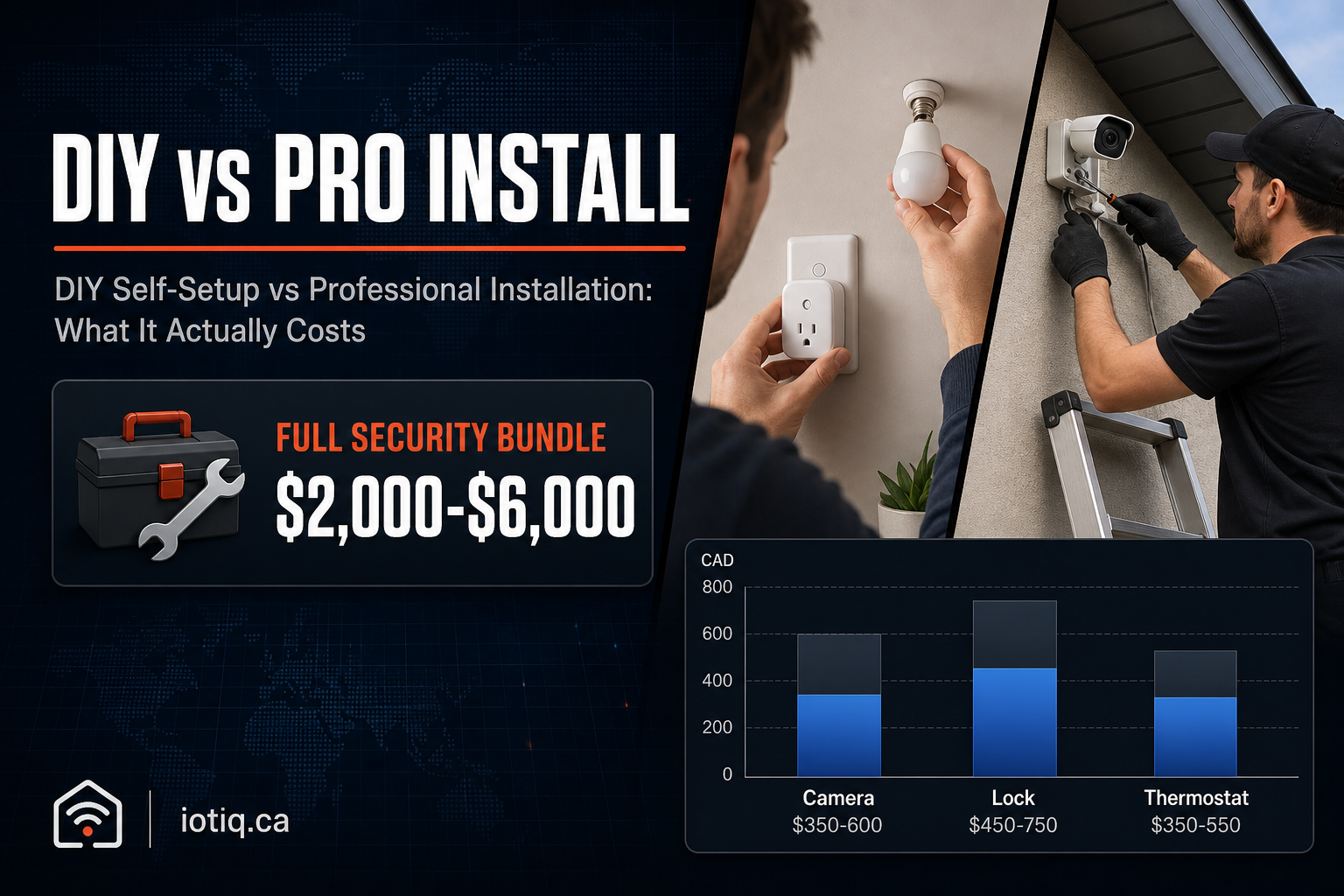
| Single outdoor camera | $350–$600 |
| 4-camera security system | $1,200–$2,200 |
| Smart lock | $450–$750 |
| Video doorbell | $350–$650 |
| Smart thermostat | $350–$550 |
| Whole-home lighting bundle (8–15 switches) | $1,500–$3,500 |
| Whole-home security and automation bundle | $2,000–$6,000 |
These are the same hardware prices whether you self-set-up or have it professionally installed — there’s no markup for choosing the DIY route. Professional installation adds a separate labour cost on top, which varies by device count, whether wiring is involved, and system complexity; it’s quoted in writing, hardware and labour combined, before any work begins, rather than priced as a flat rate, because a single-camera install and a whole-home retrofit aren’t comparable jobs.
A Realistic Way to Decide
Ask three questions before defaulting to either option:
- Does this device need new wiring, or does it work with what’s already there? If it’s battery-powered or plugs into an existing outlet, self-setup is usually straightforward. If it needs a new electrical or low-voltage run, factor in an electrician regardless of how “smart” the device itself is.
- Does placement affect how well it works, not just how it looks? A motion sensor mounted at the wrong height, or a camera angled to miss the actual entry point, technically “works” but doesn’t do its job. If you’re not confident judging placement, that’s where professional installation earns its cost.
- How much is your own time worth against a one-time labour fee? Self-setup on a handful of devices is genuinely a 10–20 minute job per device for most people. A dozen devices across a whole property is a different time commitment, and that’s often where a written quote for professional installation starts looking reasonable next to a full weekend of your own labour.
You Don’t Have to Choose Only One
The two approaches aren’t mutually exclusive. A common pattern is self-setting up simple devices — bulbs, plugs, battery sensors — and having a professional handle the smaller number of items that involve wiring or precise placement, like cameras or locks. This keeps cost proportional to complexity instead of paying a labour rate for a device that took you five minutes to install yourself, or fighting with wiring you shouldn’t be doing without a licence.
Where to Start
If you’re not sure which category your project falls into, an installation assessment is a low-commitment way to get a straight answer — a walkthrough of what you already have and what each option would actually involve for your specific property, before you commit to buying anything. If professional installation turns out to be the right call, it’s currently available as an optional add-on in select major Canadian cities; everywhere else, self-setup with remote support is the default. Full category pricing is on the pricing page.
Quick Answers
Is self-setup hardware cheaper than professionally installed hardware? No — the hardware price is the same either way. Professional installation adds a separate labour cost on top; it doesn’t change what the device itself costs.
Can I mix self-setup and professional installation in the same home? Yes. A common approach is self-installing simple devices like plugs and battery sensors, and having a professional handle items that involve wiring or precise placement, like cameras or locks.
