
Local-First Smart Home: Why Your Devices Shouldn’t Depend on Someone Else’s Cloud

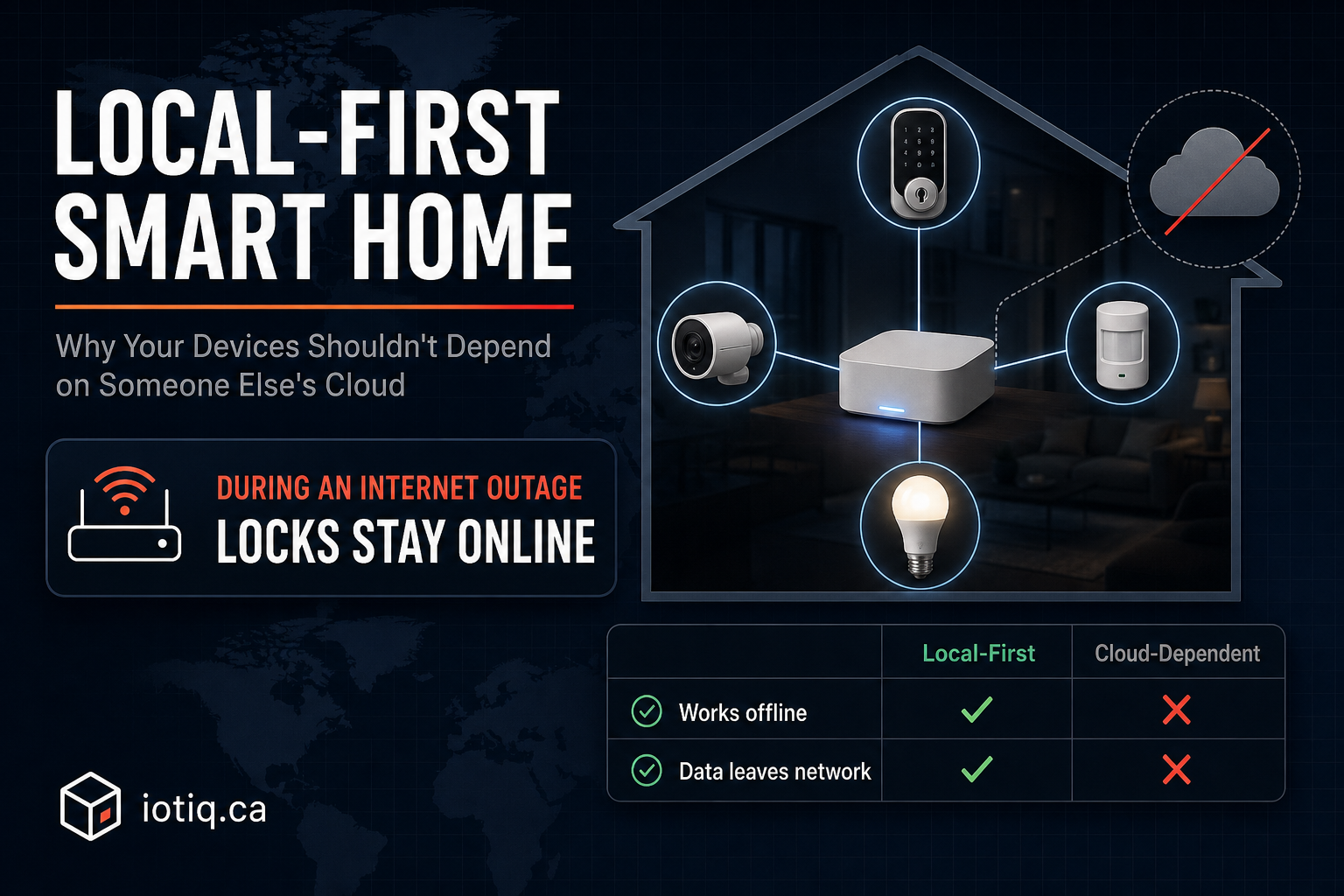
Most smart home guides tell you which app to download. Almost none tell you where your data actually goes once you do — or what happens to your locks, cameras, and thermostats the next time a company’s servers go down. That second question is the one worth asking before you buy anything, and it’s the idea behind a design approach called “local-first” smart home computing.
What “Local-First” Actually Means
A local-first smart home is one where the core work — discovering devices, processing sensor data, running automations, and storing your settings — happens on hardware inside your house, not on a server owned by the device manufacturer. Your Wi-Fi router already works this way: it doesn’t need to phone a company’s cloud to decide which device gets which IP address. A local-first smart home hub applies the same logic to your locks, sensors, and lights.
This is different from most consumer smart home products on the market today, which are “cloud-first” by default: your smart plug talks to the manufacturer’s servers, the servers talk to your phone’s app, and if either of those links breaks — an outage, a shut-down startup, a policy change — the plug stops responding to a light switch that’s sitting three feet away from it.
Local-first doesn’t mean “never touches the internet.” Voice assistants, remote access when you’re away from home, and firmware updates still typically need a connection. The distinction is about where the decision-making happens: on a hub you own, or on infrastructure you don’t control.
Why This Distinction Matters More Than It Used To
Two things have changed since most people last thought seriously about how their smart home works. First, the number of connected devices in an average Canadian home has grown from a couple of smart plugs to entire systems — locks, cameras, thermostats, sensors — meaning a cloud outage now affects security and safety functions, not just convenience ones. Second, cloud-dependent smart home products have a documented history of manufacturers shutting down servers and turning previously-working hardware into e-waste with little notice, sometimes years before the device itself would have failed.
There’s also a privacy dimension that’s specific to how these systems are built. When a device is cloud-dependent, footage from your camera, logs of when your door unlocks, and patterns of when rooms are occupied all pass through a third party’s servers, even if you’re the only person who ever views them. The Office of the Privacy Commissioner of Canada has flagged this exact pattern as a core risk of internet-connected devices generally — not because any one company is acting in bad faith, but because data that leaves your network is data you no longer fully control the fate of.
Local-First vs. Cloud-Dependent: A Practical Comparison
| Aspect | Local-first system | Cloud-dependent system |
|---|---|---|
| Internet outage at home | Automations, locks, and sensors keep working | Devices may stop responding to app and automation triggers |
| Manufacturer shuts down servers | Hub and local automations continue to function | Devices commonly become partially or fully non-functional |
| Where sensor/camera data is processed | On your own hub, on your network | Sent to manufacturer’s servers |
| Mixing brands (Zigbee, Matter, Wi-Fi) | Often supported through one hub and app | Frequently requires a separate app per brand |
| Remote access away from home | Usually still available via the hub’s own remote connection | Available, but tied to that vendor’s cloud uptime |
| Response speed for local automations | Near-instant — no round trip to a distant server | Can lag depending on server load and your connection |
Why Most Consumer Smart Home Products Default to Cloud
It’s worth understanding the business logic here, because it explains why local-first isn’t the default rather than assuming it’s simply overlooked. Cloud infrastructure is easier for a manufacturer to build once and ship everywhere, it gives them usage data that can inform product decisions, and for some companies it enables a subscription revenue model layered on top of hardware they’ve already sold you. None of that is necessarily bad for the user — but it does mean the manufacturer’s incentives and the homeowner’s incentives (reliability, longevity, privacy) aren’t always the same thing, and it’s worth knowing which one you’re optimizing for when you buy.
What to Look For If Local-First Matters to You
- Ask whether core automations survive an internet outage. A useful test: does the manufacturer confirm that a scheduled routine (lights at sunset, locks at night) still fires with no internet connection, or does the app go silent along with everything else?
- Check whether the hub supports open protocols — Zigbee, Matter, and increasingly Thread — rather than only the manufacturer’s own proprietary wireless standard. Open-protocol support is what lets you add devices from different brands to one system instead of running four separate apps.
- Look for a documented data-handling policy, not just a marketing claim. A hub that genuinely processes data locally should be able to explain, in plain language, what (if anything) leaves your network and under what circumstances.
- Confirm what “offline mode” actually covers. Some products call themselves offline-capable but only mean the app cache still displays a device’s last known state — not that the automation engine keeps running.
Where Iotiq Fits
This is the design principle behind how the Iotiq Platform is built: Home Assistant runs device control and local automations on your own network, and the IoTiq app connects to it through the IoTiq Connector. Device control and offline-critical automations don’t depend on the cloud; the app itself syncs through IoTiq’s cloud so you can use it from anywhere. You don’t need to buy every device from Iotiq to use it — the goal is one system that works across ecosystems you already own, rather than another silo. You can see the current state of supported and compatible devices and how the discovery and automation layer works on the How It Works page.
For Halifax homeowners who’d rather have a professional confirm what’s compatible with what’s already installed than start from scratch, that’s also where an installation assessment is useful — it’s a walk-through of your existing devices and wiring before anything is added or changed.
The Honest Trade-Off
Local-first isn’t strictly better in every dimension — it’s a different set of trade-offs, and it’s worth naming them plainly. A hub running locally means the hub itself is a piece of hardware you’re responsible for keeping powered and updated, rather than someone else’s server doing that maintenance invisibly. Some manufacturer-specific features (deep integration with a single ecosystem’s voice assistant, for instance) can be more polished in a cloud-first, single-brand product. The right call depends on what you’re optimizing for: maximum convenience within one ecosystem, or a system that keeps working — and keeps your data on your own network — regardless of what any single vendor does next.
Quick Answers
Does local-first mean the device never uses the internet? No — it means the core automation and decision-making happen on your own network. Remote access away from home and firmware updates typically still need a connection, but scheduled routines and locks/sensors keep working without one.
Is a local-first hub harder to set up than a cloud-based one? Not meaningfully. The setup process is similar; the difference is where processing happens afterward, not how many steps it takes to get running.
